Image Thumbnail Resize Generator
Free Online Image Thumbnail Resize Generator
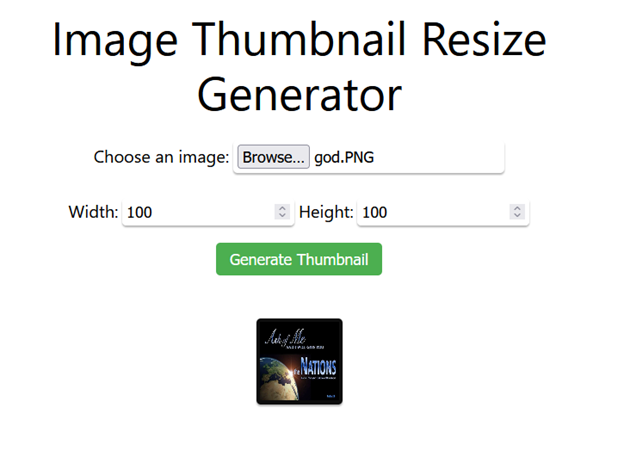
Creating the perfect thumbnail is essential for YouTube videos, websites, blogs, eCommerce stores, social media, presentations, and digital marketing. DigiSadhan’s Image Thumbnail Resize Generator lets you resize images, generate thumbnails, maintain aspect ratio, and optimize file size instantly without installing any software.
Whether you want to resize a single image or generate thumbnails for multiple photos, this tool delivers fast, high-quality, and professional results directly in your browser.
This tool is perfect for:
- YouTubers
- Bloggers
- Website Developers
- Graphic Designers
- Students
- Teachers
- Digital Marketers
- eCommerce Sellers
- Social Media Managers
- Content Creators
What is an Image Thumbnail Resize Generator?
An Image Thumbnail Resize Generator is an online tool that reduces or enlarges an image to specific dimensions while preserving image quality as much as possible.
A thumbnail is a small preview image that represents a larger image or video. Thumbnails improve page loading speed, enhance user experience, and attract more clicks on websites and social media platforms.
The tool can:
- Resize Images
- Create Thumbnails
- Maintain Aspect Ratio
- Compress Images
- Resize Multiple Images
- Convert Pixel Dimensions
- Generate Web-Optimized Images
How to Use the Image Thumbnail Resize Generator?
Using the tool is simple.
Step 1
Upload one or multiple images.
Supported formats include:
- JPG
- JPEG
- PNG
- WEBP
- GIF (Static)
Step 2
Enter the required dimensions.
Example:
- Width: 300 px
- Height: 200 px
Or select a preset size such as:
- YouTube Thumbnail (1280 × 720 px)
- Facebook Post
- Instagram Post
- WhatsApp Image
- Website Thumbnail
Step 3
Choose whether to Maintain Aspect Ratio.
Step 4
Click Resize Image.
Download the resized image instantly.
Image Resize Calculation Formula
Image resizing is based on pixel dimensions and scaling ratio.
Scaling Formula
Scale Factor = New Width ÷ Original Width
or
Scale Factor = New Height ÷ Original Height
New Height Formula
When aspect ratio is locked:
New Height = Original Height × Scale Factor
New Width Formula
New Width = Original Width × Scale Factor
Aspect Ratio Formula
Aspect Ratio = Width ÷ Height
Example:
1920 × 1080
Aspect Ratio:
1920 ÷ 1080
= 16 : 9
Maintaining the aspect ratio prevents image stretching or distortion.
Example 1 – Resize a Landscape Image
Original Image:
1920 × 1080 px
Required Width:
960 px
Scale Factor:
960 ÷ 1920
= 0.5
New Height:
1080 × 0.5
= 540 px
Final Size:
960 × 540 px
Example 2 – Thumbnail Generation
Original Image:
4000 × 3000 px
Thumbnail:
400 × 300 px
Aspect Ratio:
4 : 3
The resized thumbnail preserves the original proportions while reducing file size significantly.
Example 3 – Batch Resize
Images Uploaded:
- Photo1
- Photo2
- Photo3
- Photo4
Target Size:
800 × 600 px
Result:
All images are resized automatically to the selected dimensions.
Common Thumbnail Sizes
| Platform | Recommended Size |
|---|---|
| YouTube Thumbnail | 1280 × 720 px |
| Facebook Post | 1200 × 630 px |
| Instagram Post | 1080 × 1080 px |
| X (Twitter) Image | 1600 × 900 px |
| LinkedIn Post | 1200 × 627 px |
| Website Thumbnail | 300 × 200 px |
Applications of Image Thumbnail Resize Generator
This tool is useful for:
- YouTube Thumbnails
- Website Images
- Blog Posts
- eCommerce Product Images
- Social Media Posts
- News Portals
- School Projects
- Presentations
- Portfolio Websites
- SEO Image Optimization
Benefits of Using Our Image Thumbnail Resize Generator
- High-Quality Image Resizing
- Maintain Aspect Ratio
- Batch Image Processing
- Custom Width & Height
- Fast Processing
- Secure Uploads
- Mobile-Friendly Interface
- No Registration Required
- 100% Free Online Tool
Frequently Asked Questions (FAQs)
What is an image thumbnail?
A thumbnail is a smaller version of an image used as a preview. It helps reduce loading time and improves website performance.
Will resizing reduce image quality?
Minor resizing usually maintains excellent quality. Extreme enlargement may reduce sharpness because new pixels must be interpolated.
What is aspect ratio?
Aspect ratio is the proportional relationship between an image’s width and height. Maintaining it prevents distortion.
Can I resize multiple images?
Yes. DigiSadhan’s Image Thumbnail Resize Generator supports batch resizing.
Is this tool free?
Yes. It is completely free and works on desktops, tablets, and smartphones.
इमेज थंबनेल रीसाइज़ जनरेटर – ऑनलाइन इमेज का आकार बदलें
मुफ्त ऑनलाइन Image Thumbnail Resize Generator
यदि आपको इमेज का आकार बदलना (Resize Image) या Thumbnail बनाना है, तो DigiSadhan का Image Thumbnail Resize Generator आपके लिए एक तेज़, सुरक्षित और निःशुल्क ऑनलाइन टूल है।
यह YouTube, वेबसाइट, ब्लॉग, सोशल मीडिया, ई-कॉमर्स और डिजिटल मार्केटिंग के लिए आदर्श है।
Image Thumbnail क्या है?
Thumbnail किसी बड़ी इमेज का छोटा संस्करण (Preview Image) होता है।
इसके लाभ:
- वेबसाइट तेज़ लोड होती है।
- उपयोगकर्ता अनुभव बेहतर होता है।
- क्लिक-थ्रू रेट (CTR) बढ़ता है।
- स्टोरेज और बैंडविड्थ की बचत होती है।
Tool का उपयोग कैसे करें?
- इमेज अपलोड करें।
- Width और Height दर्ज करें।
- Aspect Ratio बनाए रखने का विकल्प चुनें।
- Resize Image पर क्लिक करें।
- डाउनलोड करें।
गणना का सूत्र
Scale Factor
Scale = नया Width ÷ मूल Width
नया Height
नया Height = मूल Height × Scale
Aspect Ratio
Aspect Ratio = Width ÷ Height
उदाहरण
उदाहरण 1
1920 × 1080 px
↓
960 × 540 px
उदाहरण 2
4000 × 3000 px
↓
400 × 300 px
उदाहरण 3
4 इमेज
↓
800 × 600 px
सभी इमेज एक साथ रीसाइज़
Image Thumbnail Resize Generator के लाभ
- उच्च गुणवत्ता वाला रीसाइज़
- Aspect Ratio सुरक्षित
- Batch Resize
- कस्टम Width एवं Height
- तेज़ प्रोसेसिंग
- सुरक्षित अपलोड
- मोबाइल एवं कंप्यूटर पर उपयोगी
- 100% निःशुल्क
Example: