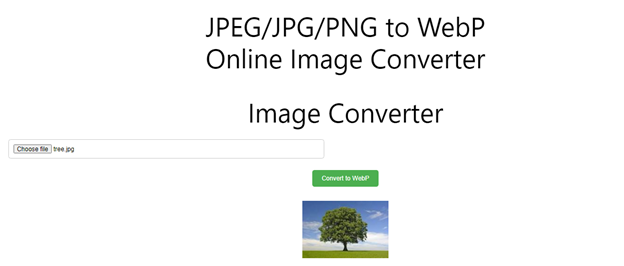
Image Converter
Convert Images to WEBP Instantly
Modern websites require images that load quickly without compromising quality. DigiSadhan’s JPEG, JPG & PNG to WEBP Converter helps you convert images into the modern WEBP format, reducing file size while maintaining excellent image quality.
Whether you’re optimizing a website, improving SEO, creating eCommerce product images, or managing blog graphics, this converter makes image optimization fast, secure, and effortless.
This tool is perfect for:
- Website Owners
- Bloggers
- SEO Professionals
- Web Developers
- Graphic Designers
- Photographers
- Digital Marketers
- eCommerce Sellers
- Students
- Social Media Managers
What is WEBP?
WEBP is a modern image format developed by Google that provides superior image compression compared to JPEG and PNG.
It supports:
- Lossy Compression
- Lossless Compression
- Transparency (Alpha Channel)
- Animation
- Smaller File Sizes
- Faster Website Loading
Compared to traditional image formats, WEBP files are often 20–35% smaller than JPEG and can be significantly smaller than PNG for many types of images while maintaining comparable visual quality.
Why Convert JPG, JPEG & PNG to WEBP?
Converting images to WEBP offers several advantages:
- Faster website loading speed
- Improved Core Web Vitals
- Better Google Page Experience
- Reduced bandwidth usage
- Smaller storage requirements
- Higher SEO performance
- Better mobile browsing experience
- Faster image downloads
WEBP is widely supported by modern browsers and is recommended for website optimization.
How to Use the WEBP Converter?
Using the converter is simple.
Step 1
Upload one or multiple images.
Supported formats:
- JPG
- JPEG
- PNG
Step 2
Choose the desired quality or compression level (if available).
Step 3
Click Convert to WEBP.
Step 4
Download the converted WEBP image individually or in ZIP format for batch conversions.
Image Conversion Process
The converter follows a digital image processing workflow.
Input Image → Decode Image Data → Apply WEBP Compression → Encode WEBP Format → Optimized Output Image
The original image dimensions remain unchanged unless you choose to resize the image.
Image Compression Formula
Image conversion involves compression rather than mathematical transformation.
Compression Ratio Formula
Compression Ratio (%) = (Compressed File Size ÷ Original File Size) × 100
File Size Reduction Formula
Reduction (%) = ((Original Size − Compressed Size) ÷ Original Size) × 100
Example 1 – File Size Reduction
Original Image:
5 MB JPG
Converted WEBP:
3 MB
Reduction:
((5 − 3) ÷ 5) × 100
= 40% File Size Reduction
Example 2 – Batch Conversion
Images Uploaded:
- Photo1.jpg
- Banner.png
- Product.jpeg
- Logo.png
Result:
- Photo1.webp
- Banner.webp
- Product.webp
- Logo.webp
All images are converted simultaneously with optimized quality.
Example 3 – Website Optimization
Original Website Images:
20 Images
Average Size:
2 MB Each
Total Size:
40 MB
After WEBP Conversion:
Average Size:
1.2 MB
Total:
24 MB
Storage Saved:
16 MB
Reduction:
40%
This improves page loading speed and enhances website performance.
Supported Input Formats
The converter accepts:
- JPG
- JPEG
- PNG
Output Format:
- WEBP
The tool preserves transparency when converting PNG images to WEBP, where supported.
Applications of WEBP Converter
This converter is useful for:
- Website Optimization
- SEO Performance
- WordPress Websites
- Shopify Stores
- WooCommerce Products
- Blog Images
- News Portals
- Portfolio Websites
- eCommerce Product Photos
- Mobile Applications
- Digital Marketing Campaigns
Benefits of Using Our WEBP Converter
- High-Quality Image Conversion
- Batch Image Processing
- Smaller File Sizes
- Faster Website Loading
- Transparency Support
- Secure Browser-Based Processing
- Mobile-Friendly Interface
- Unlimited Conversions
- 100% Free Online Tool
Frequently Asked Questions (FAQs)
What is WEBP?
WEBP is a modern image format developed to reduce image file size while maintaining excellent visual quality.
Does WEBP reduce image quality?
In most cases, WEBP maintains very good image quality while producing significantly smaller files. Quality depends on the compression level selected.
Can I convert multiple images?
Yes. DigiSadhan supports batch conversion of multiple JPG, JPEG, and PNG images into WEBP.
Does WEBP support transparent images?
Yes. WEBP supports transparency, making it an excellent replacement for many PNG images.
Is this converter free?
Yes. DigiSadhan’s JPEG, JPG & PNG to WEBP Converter is completely free with unlimited conversions.
JPEG, JPG एवं PNG से WEBP कन्वर्टर
मुफ्त ऑनलाइन WEBP Image Converter
यदि आप अपनी वेबसाइट की इमेज का आकार कम करना चाहते हैं और तेज़ लोडिंग चाहते हैं, तो DigiSadhan का JPEG, JPG & PNG to WEBP Converter आपके लिए एक तेज़, सुरक्षित और निःशुल्क ऑनलाइन टूल है।
यह टूल इमेज की गुणवत्ता बनाए रखते हुए फ़ाइल का आकार कम करता है, जिससे वेबसाइट की स्पीड और SEO दोनों बेहतर होते हैं।
WEBP क्या है?
WEBP Google द्वारा विकसित आधुनिक इमेज फ़ॉर्मेट है।
इसके मुख्य लाभ:
- छोटी फ़ाइल साइज़
- उच्च गुणवत्ता
- Transparency Support
- तेज़ वेबसाइट लोडिंग
- कम बैंडविड्थ उपयोग
- SEO में सुधार
Converter का उपयोग कैसे करें?
- JPG, JPEG या PNG इमेज अपलोड करें।
- गुणवत्ता (Quality) चुनें।
- Convert to WEBP पर क्लिक करें।
- WEBP फ़ाइल डाउनलोड करें।
गणना का सूत्र
Compression Ratio
Compression Ratio = (Compressed Size ÷ Original Size) × 100
File Size Reduction
Reduction = ((Original Size − Compressed Size) ÷ Original Size) × 100
उदाहरण
उदाहरण 1
Original:
5 MB JPG
Converted:
3 MB WEBP
Reduction:
40%
उदाहरण 2
4 इमेज
↓
4 WEBP इमेज
Batch Conversion
उदाहरण 3
20 इमेज
40 MB
↓
24 MB
कुल बचत:
16 MB
WEBP Converter के लाभ
- उच्च गुणवत्ता वाली इमेज
- फ़ाइल साइज़ कम
- वेबसाइट स्पीड में सुधार
- Batch Conversion
- Transparency Support
- SEO के लिए उपयुक्त
- 100% निःशुल्क
- मोबाइल एवं कंप्यूटर पर उपयोगी
Common Image Format Comparison
| Format | Compression | Transparency | Best Use |
|---|---|---|---|
| JPG | High | No | Photos |
| JPEG | High | No | Images & Photography |
| PNG | Low Compression | Yes | Logos & Graphics |
| WEBP | Very High | Yes | Websites, Blogs & SEO |
As shown in the picture