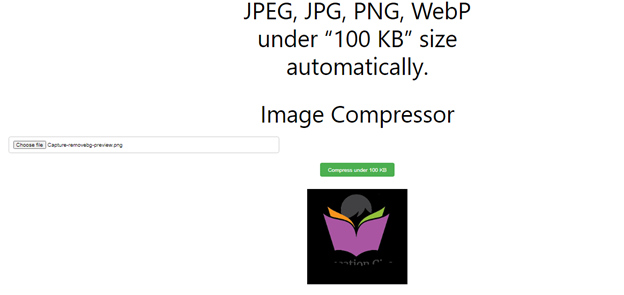
Image Compressor
Free Online Image Compressor
Large image files can slow down websites, increase storage usage, and fail upload size limits on government portals, job applications, school admissions, online forms, and social media platforms. DigiSadhan’s Online Image Compressor helps you automatically compress JPEG, JPG, PNG, and WEBP images to under 100 KB while maintaining excellent visual quality.
The tool uses smart image optimization techniques to reduce file size without significantly affecting image clarity.
This image compressor is ideal for:
- Government Form Uploads
- Passport & Visa Applications
- Online Exams
- School & College Admissions
- Website Optimization
- SEO Professionals
- Bloggers
- Photographers
- Graphic Designers
- Social Media Users
What is an Image Compressor?
An Image Compressor is an online tool that reduces the file size of an image by applying efficient compression techniques.
The compressor can:
- Reduce Image File Size
- Optimize Image Quality
- Compress JPEG
- Compress JPG
- Compress PNG
- Compress WEBP
- Batch Compress Multiple Images
- Prepare Images for Web Uploads
Unlike simple resizing, compression focuses on reducing storage size while preserving image dimensions whenever possible.
Why Compress Images Under 100 KB?
Many websites and government portals require images smaller than 100 KB for successful uploads.
Compressing images provides several advantages:
- Faster Website Loading
- Improved Google Core Web Vitals
- Better SEO Rankings
- Reduced Bandwidth Usage
- Faster Email Attachments
- Easier File Sharing
- Lower Storage Consumption
- Meets Online Upload Requirements
How to Use the Image Compressor?
Using the tool is simple.
Step 1
Upload one or multiple images.
Supported formats:
- JPEG
- JPG
- PNG
- WEBP
Step 2
Choose the target size.
Example:
- Under 100 KB
- Under 50 KB
- Under 200 KB
Or use Automatic Compression.
Step 3
Click Compress Image.
Step 4
Download the optimized image instantly.
Image Compression Formula
Image compression is based on reducing data while preserving visual appearance.
Compression Ratio Formula
Compression Ratio (%) = (Compressed File Size ÷ Original File Size) × 100
File Size Reduction Formula
Reduction (%) = ((Original Size − Compressed Size) ÷ Original Size) × 100
Compression Percentage Formula
Compression (%) = 100 − Reduction (%)
Estimated File Size Formula
Estimated Output Size = Original Size × Compression Ratio
Example 1 – Compress to 100 KB
Original Image:
500 KB
Compressed Image:
100 KB
Reduction:
((500 − 100) ÷ 500) × 100
= 80% File Size Reduction
Example 2 – Compress Multiple Images
Uploaded:
- Photo1.jpg (450 KB)
- Photo2.png (620 KB)
- Banner.webp (280 KB)
- Logo.jpeg (180 KB)
Target:
Under 100 KB
Result:
All images compressed automatically while maintaining good visual quality.
Example 3 – Website Optimization
Original Images:
25 Images
Average Size:
400 KB
Total Size:
10 MB
After Compression:
Average Size:
90 KB
Total Size:
2.25 MB
Storage Saved:
7.75 MB
Reduction:
77.5%
This helps improve page loading speed and user experience.
Supported Formats
Input Formats:
- JPG
- JPEG
- PNG
- WEBP
Output:
Optimized image in the same format or another supported format (depending on tool settings).
Applications of Image Compressor
This tool is useful for:
- Government Portal Uploads
- Passport Photos
- Visa Applications
- School Admissions
- Job Applications
- Website SEO
- WordPress Blogs
- Shopify Stores
- eCommerce Product Images
- Social Media Uploads
- Email Attachments
Benefits of Using Our Image Compressor
- Compress Images Under 100 KB
- High-Quality Compression
- Batch Image Processing
- Fast Processing
- Browser-Based Tool
- Mobile-Friendly Interface
- Unlimited Usage
- Secure Image Processing
- 100% Free Online Tool
Frequently Asked Questions (FAQs)
What is image compression?
Image compression reduces the file size of an image while attempting to preserve its visual quality. It helps optimize storage and improve loading speed.
Will compression reduce image quality?
A small amount of quality loss may occur with lossy compression, but the tool is designed to maintain excellent visual quality while achieving a much smaller file size.
Can I compress multiple images?
Yes. DigiSadhan supports batch compression of JPEG, JPG, PNG, and WEBP images.
Why do websites ask for images under 100 KB?
Smaller image files upload faster, consume less bandwidth, and meet the file-size limits required by many websites and government portals.
Is this tool free?
Yes. DigiSadhan’s Online Image Compressor is completely free with unlimited usage.
ऑनलाइन इमेज कंप्रेसर – JPEG, JPG, PNG एवं WEBP इमेज को 100 KB से कम करें
मुफ्त ऑनलाइन Image Compressor
यदि आपको JPEG, JPG, PNG या WEBP इमेज को 100 KB से कम करना है, तो DigiSadhan का Online Image Compressor आपके लिए एक तेज़, सुरक्षित और निःशुल्क ऑनलाइन टूल है।
यह सरकारी फॉर्म, पासपोर्ट आवेदन, वेबसाइट, सोशल मीडिया और अन्य ऑनलाइन अपलोड के लिए अत्यंत उपयोगी है।
Image Compressor क्या है?
Image Compressor इमेज की गुणवत्ता को यथासंभव बनाए रखते हुए उसकी फ़ाइल साइज़ कम करता है।
यह निम्न सुविधाएँ प्रदान करता है:
- JPEG Compression
- PNG Compression
- WEBP Compression
- Batch Compression
- Automatic Optimization
Tool का उपयोग कैसे करें?
- इमेज अपलोड करें।
- लक्ष्य आकार (जैसे 100 KB) चुनें।
- Compress Image पर क्लिक करें।
- नई इमेज डाउनलोड करें।
गणना का सूत्र
Compression Ratio
Compression Ratio = Compressed Size ÷ Original Size × 100
File Size Reduction
Reduction = ((Original Size − Compressed Size) ÷ Original Size) × 100
अनुमानित फ़ाइल आकार
Output Size = Original Size × Compression Ratio
उदाहरण
उदाहरण 1
Original:
500 KB
↓
100 KB
Reduction:
80%
उदाहरण 2
4 इमेज
↓
100 KB से कम
सभी इमेज एक साथ कंप्रेस
उदाहरण 3
25 इमेज
10 MB
↓
2.25 MB
कुल बचत:
7.75 MB
Image Compressor के लाभ
- 100 KB से कम इमेज
- उच्च गुणवत्ता
- Batch Compression
- तेज़ प्रोसेसिंग
- वेबसाइट SEO के लिए उपयुक्त
- सरकारी फॉर्म अपलोड के लिए उपयोगी
- मोबाइल एवं कंप्यूटर पर उपयोगी
- 100% निःशुल्क
Common Compression Examples
| Original Size | Compressed Size | Reduction |
|---|---|---|
| 500 KB | 100 KB | 80% |
| 300 KB | 90 KB | 70% |
| 1 MB | 100 KB | 90% |
| 2 MB | 150 KB | 92.5% |
As shown in the picture